Guides
Set up a project for a client
Put one piece of work behind its own boundary, the people who should see it, the instructions that should never be repeated, and the AI staff assigned to it.
A project is worth creating the moment a piece of work has more than one task, or more than one person, or rules you find yourself repeating. A client engagement is all three.
1. Create it and describe it properly
Give it a name and a description that says what the work is. The description is not filing metadata, the assistant reads it, so “Migration of Sunrise Bank’s branch reporting to the new format, running to Poush” produces better work than “Sunrise”.
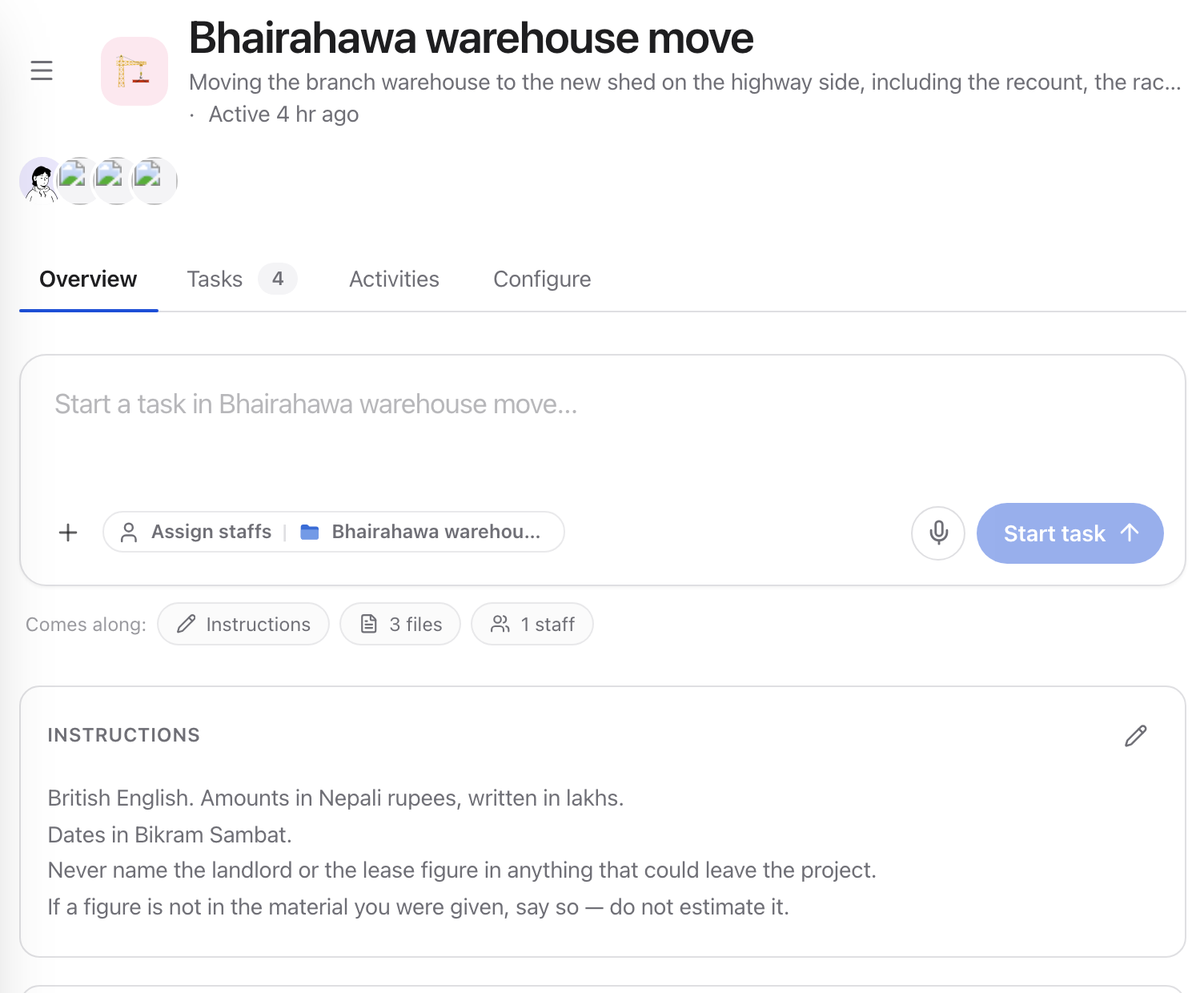
Everything a project holds sits on one page: the brief, the standing instructions, the people and the staff.
2. Write the standing instructions
This is the part that pays for itself. Instructions on a project apply to every task inside it, so anything you would otherwise retype belongs here:
Write them as rules, not preferences. “Prefer concise writing” changes nothing; “no paragraph longer than four sentences” changes everything.
3. Add the people who should see it
A project has its own member list on top of the workspace. Members get one of three roles:
- Owner: runs the project, can archive it and share it
- Contributor: does the work: tasks, files, artifacts
- Viewer: reads, does not change
Add the client-facing lead as an owner, the team as contributors, and anyone who only needs visibility as a viewer. Everyone else in the workspace sees nothing.
4. Put the files in the project, not beside it
Move the brief, the contract, the reference material into the project. A file in your personal space cannot be read by a task in the project, the boundary is real, and it is the point.
5. Assign AI staff
A project can have its own staff. Assigning the minute writer and the report drafter here means they arrive already knowing the project’s instructions and material, rather than being briefed per task.
6. Share read-only, when you have to
A project can be shared by link. It is read-only, owner-only to create, and the recipient still has to sign in. It is a window, not a handover.
When the work ends
Archive the project rather than deleting it. Archiving keeps the tasks, files and history intact; you can bring it back if the client returns in six months, which they do.
Next
- What a project isthe concept in full
- Where things livepersonal or project
- Hire your first AI staff memberwho to assign to it