Guides
Write a report from your own files
The most common piece of work in Dhanu, start to finish, attach the material, get a draft you can edit, revise it in place, and hand it over.
You have four documents and a deadline. This is the shortest path from those to something you would put your name on.
1. Put the material where the task can see it
Open a new task and attach the files, upload them, or pick them from your Library. Attachments stay in the task’s context, so you attach once and refer to them for the rest of the conversation.
If the work belongs to a client or a launch, make the task inside that project instead of your personal space. Then everything it produces stays there, and anyone on the project can pick the work up. A file in your personal space is invisible to a task in a project, that mismatch is the single most common reason an answer arrives written from nothing.
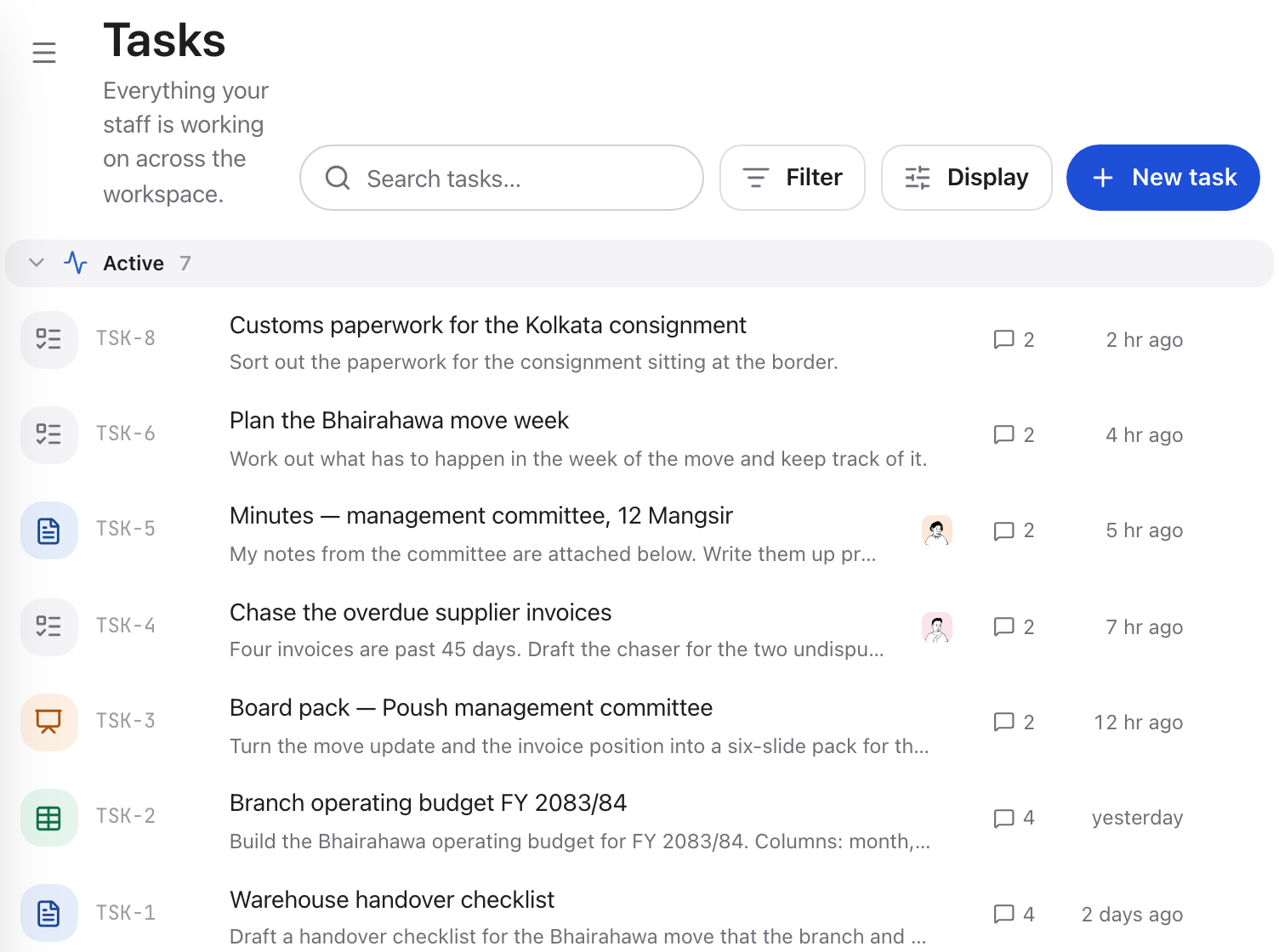
Every piece of work is a task, and what it produced shows against it in the list.
2. Ask for the document, not for a summary
Say who it is for and what it has to do:
You get a doc beside the conversation, a real document, not a message. It is already editable, and you can start typing in it while the assistant is still working.
3. Revise in place
Two ways to change it, and the difference matters.
Point at a passage: select it, or name it, and the assistant proposes an edit you accept or reject as a diff. Use this for the ninety per cent of revisions that touch one paragraph.
Ask for a different draft: “shorter, and less defensive about the delay”, and it rewrites the body. Everything you did not ask it to change is preserved.
Never start a second document to fix the first one. You lose the version history, and history is what lets you say “put the March framing back”.
4. Check the numbers before you send
If the report leans on figures from a spreadsheet, say so explicitly: “check the actual totals in the sheet before writing the finance paragraph”. The assistant will read the real values rather than working from a preview of them.
Anything it claims about your organisation should be traceable. If it cited Brain pages, they are listed on the reply, open one.
5. Hand it over
Share the document with a link, or download it. Shared links are read-only and still require the recipient to sign in, they are not public URLs.
If the draft is wrong
Work back through the same three causes, in order:
- It could not see the material. Check the attachment landed and that the file and the task are in the same scope.
- It did not know the audience. “For a client who has not read the brief” is the sentence that changes the whole draft.
- You asked for a rewrite when you meant an edit. Point at the passage.
Next
- Documentseverything the doc tool can do
- Reading your files and other taskswhat the assistant can actually see