Tasks
Email, chat, calendar and approvals
How an AI staff member reaches the outside world, drafting and sending email, posting to chat, managing calendar events, and how it stops to ask a human first.
These are the tools that leave the building. A staff member using them affects someone outside Dhanu, so they are the ones worth understanding before you switch them on.
Where it runs: in AI staff runs, for staff given these tools.
Reaching people
| It can | What that looks like |
|---|---|
| Draft an email | Recipient, subject and body prepared for review, nothing is sent |
| Send an email | A real outbound message |
| Post or read chat | A message posted to a channel, or recent messages read back |
| Manage calendar | List availability, create an event, update one |
| Notify | An out-of-band alert to a person or a system |
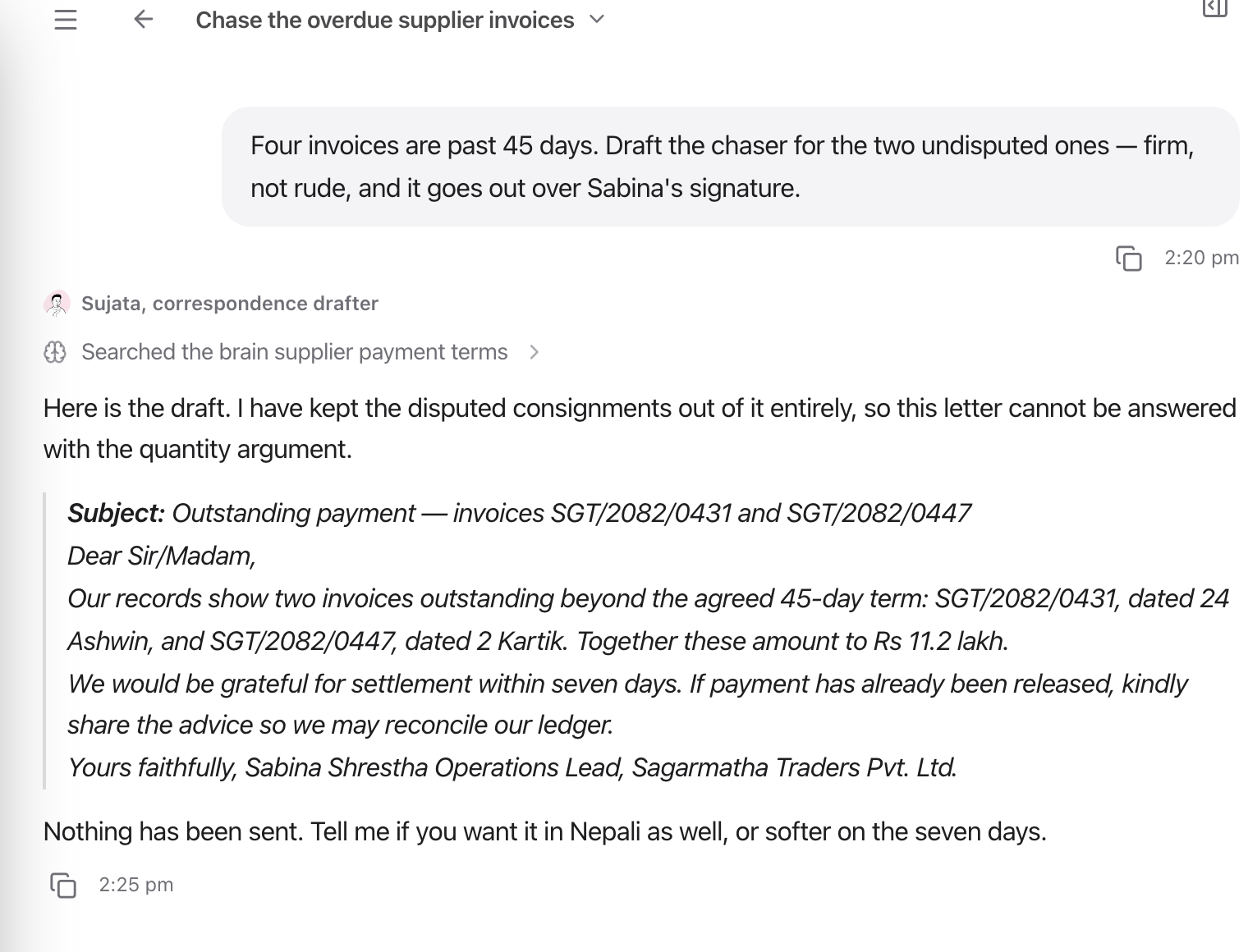
A draft comes back into the thread, with the staff member asking what to do next, nothing has been sent.
Drafting and sending are separate tools on purpose. A Read-only staff member can draft all day and cannot send anything, the ceiling on its access makes it structurally impossible, not merely discouraged. Every catalogue role that writes correspondence is written to hand back a draft for a human to sign.
Sends can be run as a preview first, and carry an idempotency key, so a retry after a network wobble does not send the same email twice.
Stopping to ask
Three distinct ways an agent hands control back to a person.
| It can | When it is used |
|---|---|
| Ask a clarifying question | It lacks information it needs to proceed. Questions are posted to the task and the run pauses for your answer, usually with options to tap |
| Request approval | It is about to do something consequential or irreversible. The request is recorded to the audit log and the run pauses |
| Hand off | The work is outside its scope, to a human queue, or reassigned to another staff member, with a reason |
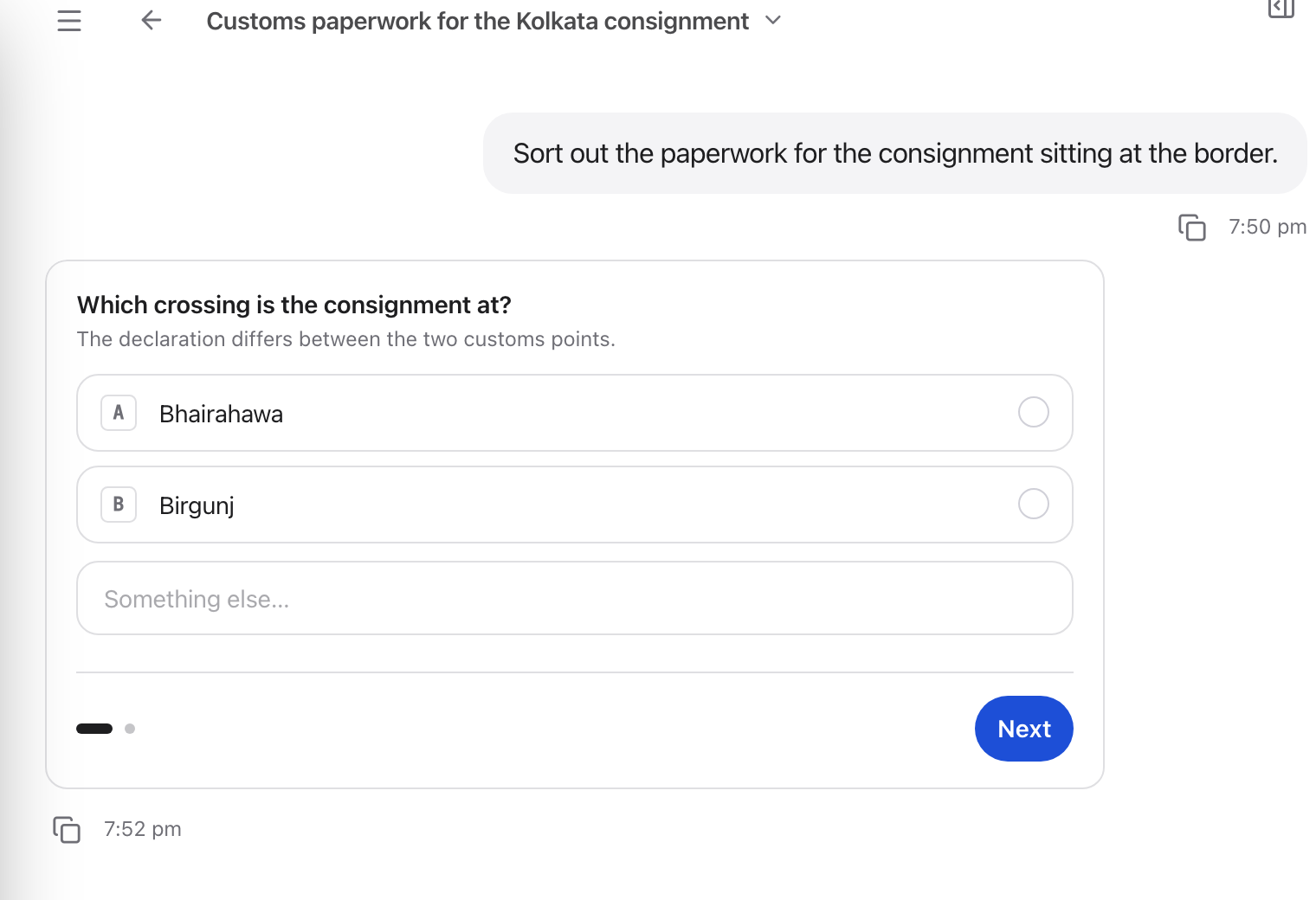
A clarifying question is posted into the task and the run pauses until you answer.
The difference between the first two is what is being gated. Clarifying gathers information; approval gates an action. A well-behaved staff member asks before guessing and asks again before doing anything it cannot undo.
What to check before switching these on
- Access level. Read-only cannot act outwardly. Standard can. Give a staff member the smallest level that lets it do its job.
- Who it can reach. Outbound recipients are constrained by configuration, not by the model’s judgement.
- The audit trail. Approvals are recorded, and every tool call appears on the run trace. If a message went out, there is a line showing it.